Unassigned HubSpot Contacts: How to Find and Assign Owners
In HubSpot, open CRM > Contacts, filter Contact owner by “is unknown” and save the view. Then measure the gap, prioritise the leads and assign owners.
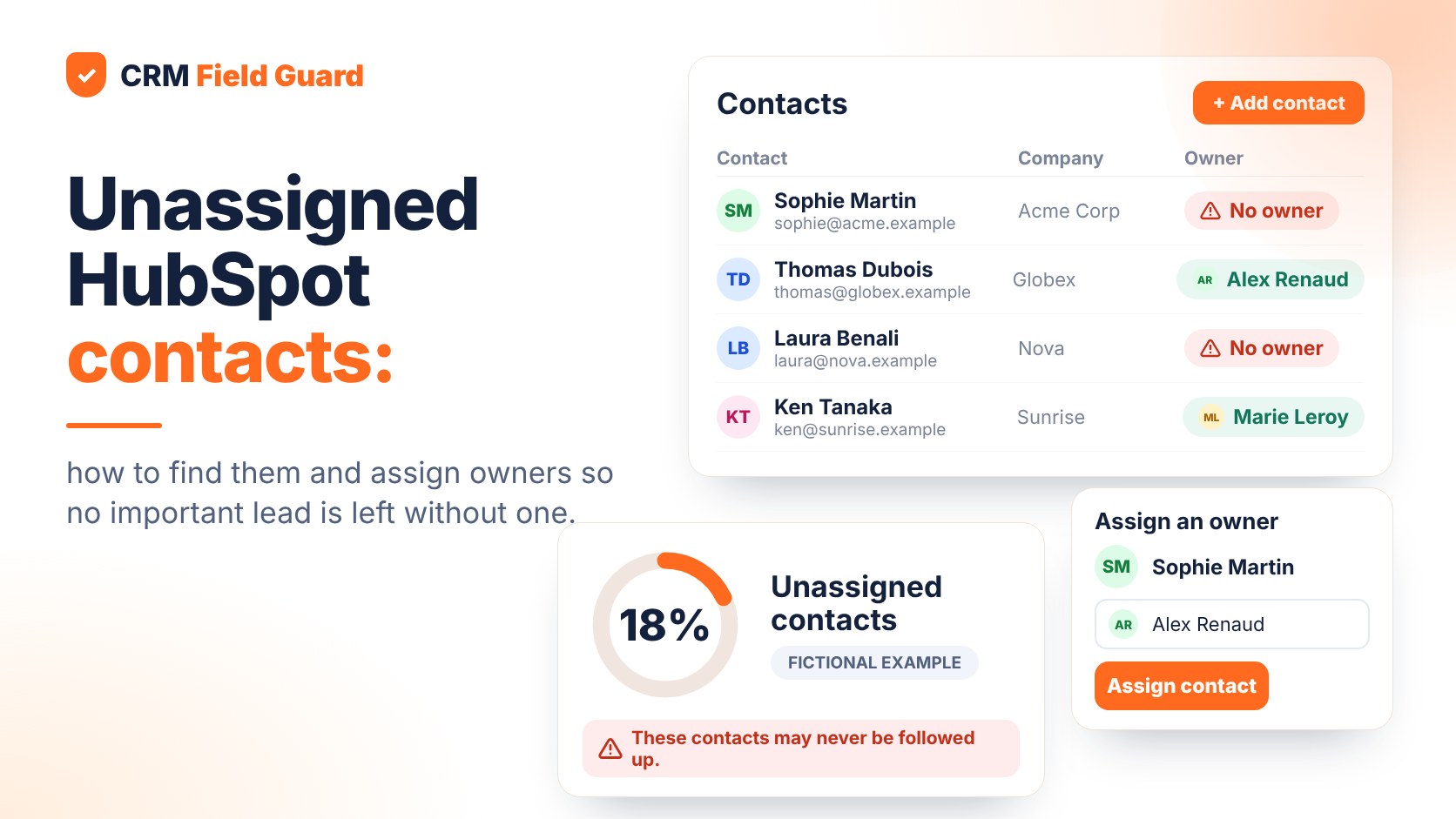
Why contact ownership matters
A contact without an owner is not automatically a broken record. A newsletter subscriber may be deliberately held in a marketing audience until they show buying intent. But a contact requesting a demo, an active prospect, or a stakeholder in an open opportunity normally needs a named person responsible for follow-up.
When ownership rules are unclear, leads can sit in queues, handoffs become harder to audit, and owner-based reports tell only part of the story. HubSpot uses a dedicated Contact owner property, distinct from the owner properties on companies and deals. Its official ownership guide describes manual, bulk, import and automated assignment options.
Start with a business decision: which contacts should have an owner? A practical first scope might include demo requests, sales-qualified leads, contacts linked to open deals and strategic-account stakeholders. Document exclusions so the metric remains meaningful.
1. Find contacts with no owner in HubSpot
You do not need to export the whole CRM just to locate missing ownership values.
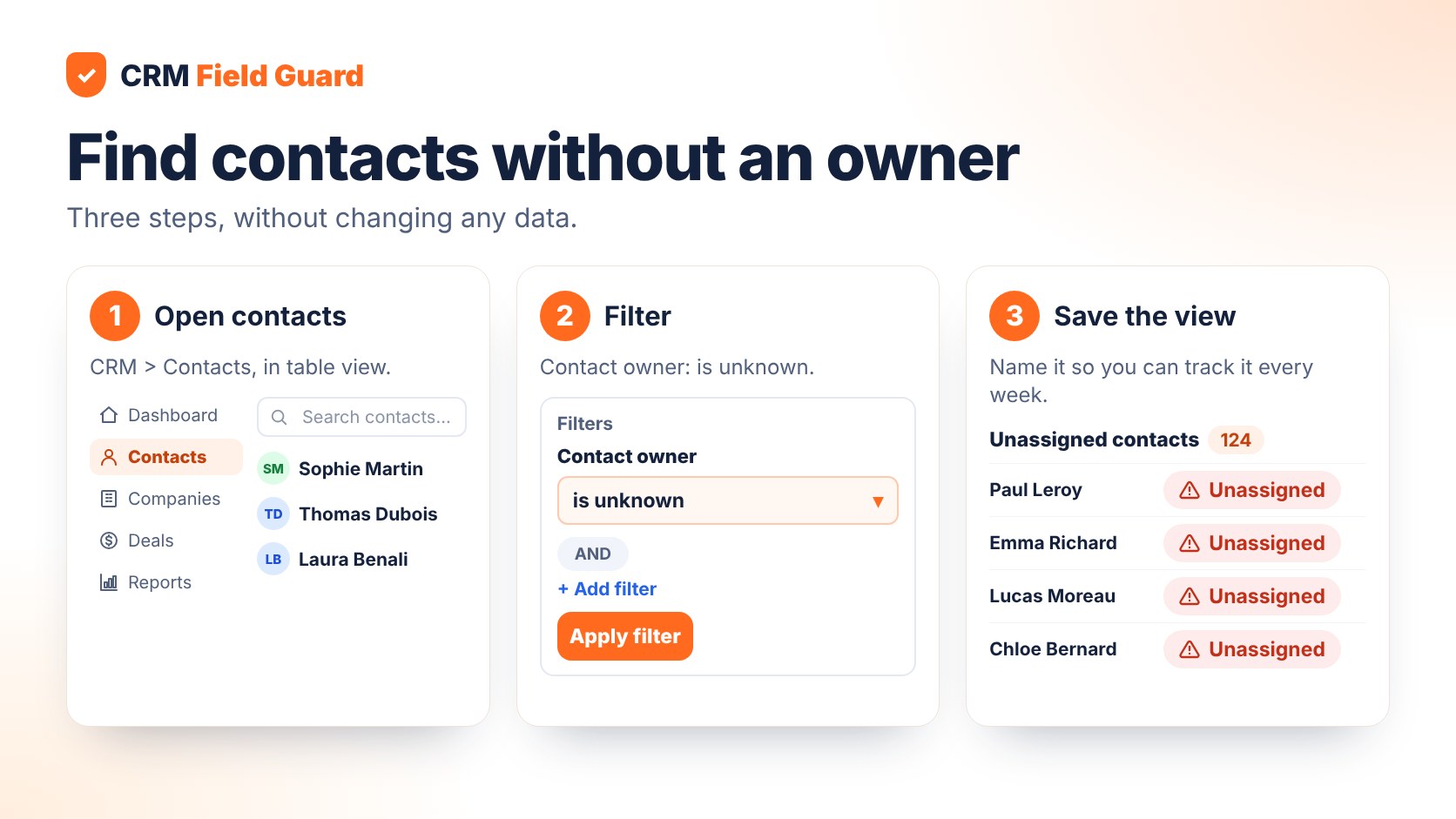
- Go to CRM > Contacts.
- Open a table view and add a filter for Contact owner.
- Select the operator is unknown.
- Save the view as Unassigned contacts.
- Add a second filter, such as recent creation date or lifecycle stage, when you need a more actionable subset.
In HubSpot's filter documentation, is unknown means the selected property has no value. Permissions and navigation labels may vary by account and interface version.
Want to see where your CRM needs the most fixing? Export your contacts from HubSpot (with the Contact owner column) and try the free CSV audit: the file is analysed in your browser and nothing is uploaded. You need a free account with a confirmed email.
2. Measure the ownership gap correctly
Counting unassigned contacts is useful, but the denominator determines whether the metric makes sense. If you have 20,000 marketing subscribers and 600 active sales leads, you should not necessarily expect every subscriber to be assigned to a rep.
Use the formula:
Unassigned lead rate = unassigned contacts requiring ownership / all contacts requiring ownership × 100.
For example, suppose a company has 1,200 inbound leads that should have an owner, and 144 are still unassigned. The ownership gap is 12%. These are fictional numbers for illustration; the result is not an estimate of lost revenue or a benchmark for other companies.
Next, break the total down by source, lifecycle stage, creation date, country and business unit. If most unassigned records came from a recent import, the solution may be better import mapping. If they came from a lead form, review the routing rule instead. Avoid assuming every missing owner has the same root cause.
3. Prioritise by business urgency
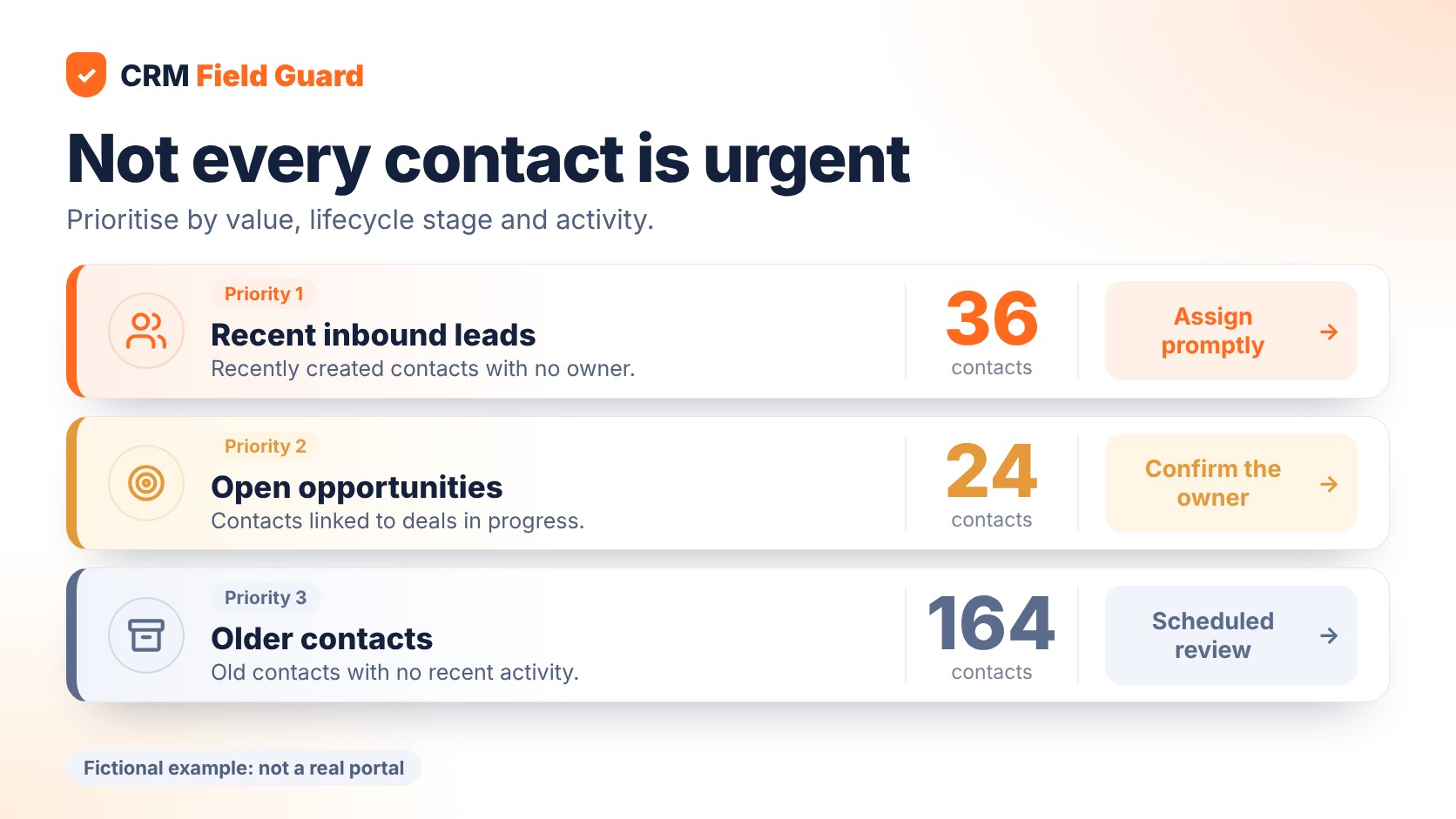
A flat list of unassigned contacts is not a work queue. Segment it into actions.
| Priority | Typical contact | Next step |
|---|---|---|
| High | Recent inbound lead requesting a conversation | Assign promptly to the appropriate team |
| Medium | Contact associated with an open deal | Confirm deal and account responsibility |
| Scheduled | Old record with no recent buying signal | Review qualification and retention rules |
Do not assign everything to a generic owner just to improve the percentage. That can hide the original issue and make reporting less trustworthy. A useful owner field represents a real operational handoff.
4. Assign owners safely and fix the source
HubSpot lets users assign owners in bulk from an object index page: select the records, choose Assign, pick the owner, and confirm. Owner assignment can also be included in an import file by mapping an owner column. Eligible Professional and Enterprise accounts can use workflows for automatic assignments. Check the current HubSpot instructions and account permissions before changing records.
There are two less obvious settings worth reviewing. First, HubSpot may assign an unowned contact to the user who sends or receives a logged one-to-one email, when that default setting is enabled. Second, the contact and associated company's owners are independent by default. A sync setting can align them, but it does not update historical records retroactively. HubSpot documents that limitation here.
Before enabling broad automation, test a small sample. Confirm what should happen when a contact has an existing owner, a company is reassigned, or an integration supplies a different user. Write down the routing decision so it survives changes in your team.
For each team member, the audit lists the records assigned to them that need fixing, with the row number in your export. Create a free account to try it.
5. Make ownership a weekly health check
A one-time cleanup will not prevent new gaps. Track the number of newly created unassigned leads, records left unassigned beyond your agreed service window, gaps by acquisition source and the weekly ownership rate.
For a demo-request queue, you may need a same-day response process. For a dormant contact segment, a weekly or monthly review may be enough. Set thresholds around your customer journey, not a universal rule.
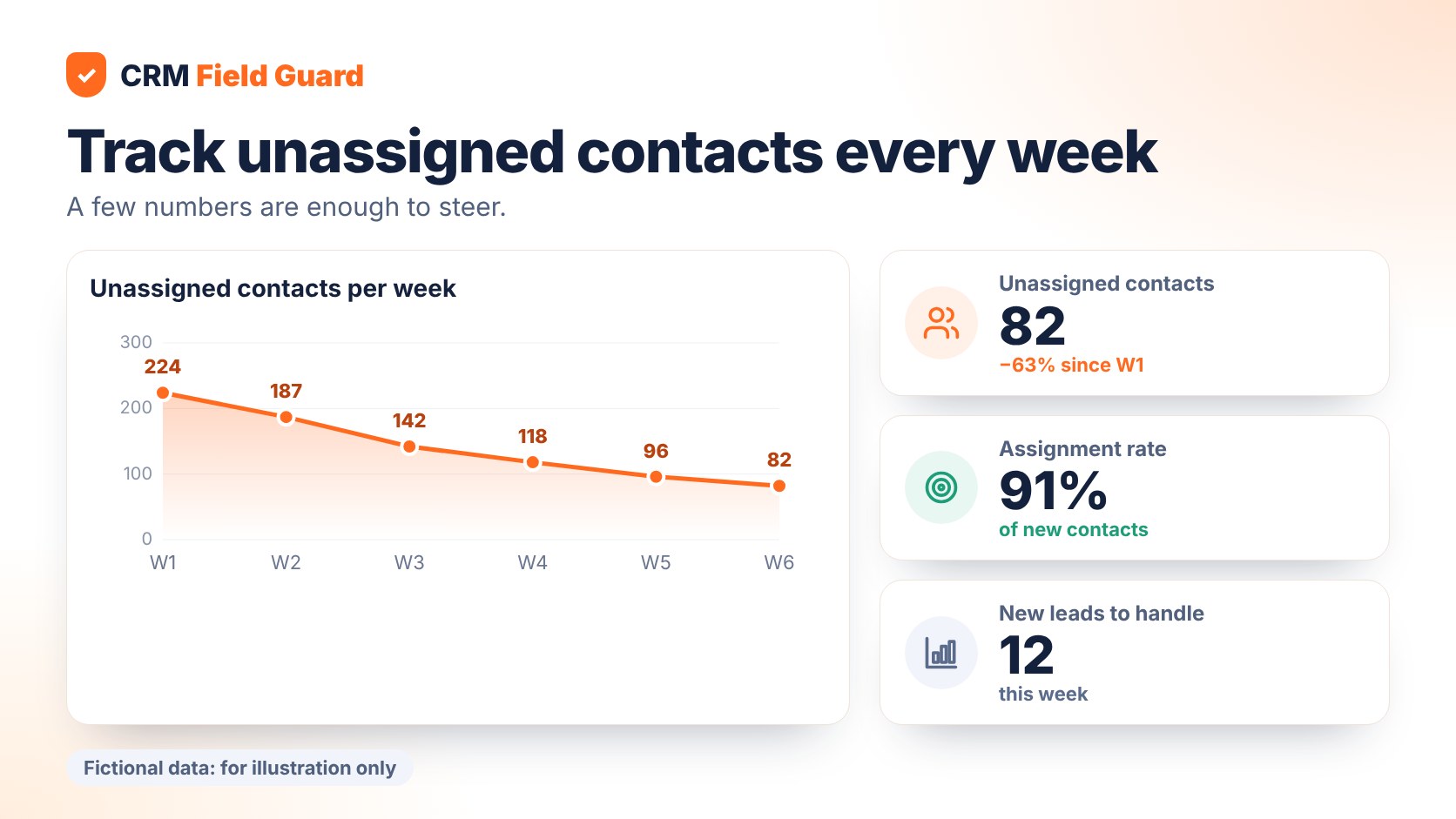
A useful governance habit is to review both the metric and the process that produced it. Did the routing workflow run? Was the owner an active user? Was the contact correctly associated with the account? A score without follow-up actions is only a snapshot.
FAQ: frequently asked questions
How do I find HubSpot contacts without an owner?
Filter Contact owner by is unknown on the Contacts index page and save the view.
Can I assign several contacts at once?
Yes. HubSpot supports bulk owner assignment on record index pages, subject to the necessary permissions.
Does a contact automatically inherit the company owner?
No, not by default. An optional sync setting is available, but it does not backfill historical records.
Should every marketing contact have an owner?
Not necessarily. Define which segments require a sales or service owner and measure those populations separately.
Do I have to upload my data to use the audit?
No. The CSV audit reads and analyses your file in your browser: it is neither uploaded nor stored. The pricing page explains the read-only HubSpot connection, which is part of the paid plans.
Does CRM Field Guard change my contacts?
No. CRM Field Guard reads HubSpot in read-only mode and never changes your records: it shows what to fix and how, and you make the changes in HubSpot.
Conclusion
The best ownership metric is not the share of every contact with a non-empty field. It is the share of contacts that require action and have a clearly accountable person. Find the gaps, prioritise them, fix routing at the source and review the exceptions regularly.
Ready to move from finding to fixing? Start your free audit.
This article is also available in: Français · Deutsch
Try a HubSpot diagnostic
Free, read-only, no credit card.